Users and roles
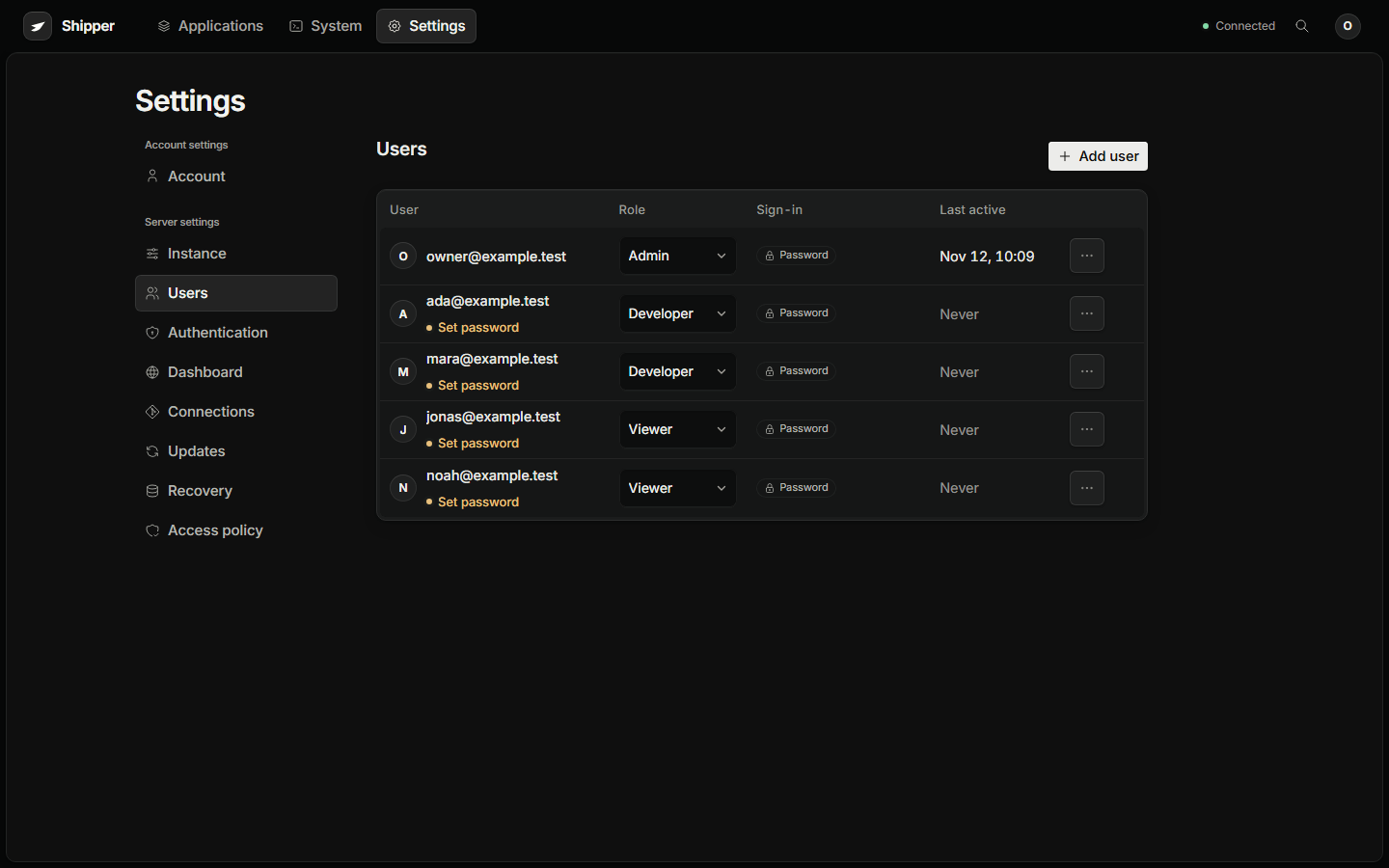
Shipper has one workspace. Every account has an immutable user ID, a provisioned email, one role, and one identity across every enabled sign-in method.
There is no public signup, self-invitation, domain-wide admission, or OAuth just-in-time account creation.
| Role | Can do |
|---|---|
admin |
Users, authentication providers, instance policy, connections, updates, recovery, operations tokens, and every application action |
developer |
Create and manage applications, deployments, tasks, domains, backup plans, secrets, and terminals |
viewer |
Read applications, releases, and activity. No mutation, secret reveal, terminal, backup download, or server setting |
Archive download and restore are admin actions. A developer can create a backup plan and run it but cannot download the archive.
Role checks run on the server after session refresh. Hiding a button is not an authorization boundary.
Provision an account
Section titled “Provision an account”Open Settings → Users and choose Add user.
| Provisioning choice | Result |
|---|---|
| Email and temporary password | Stores a password hash and requires a different password before full access. Deliver the temporary password separately. |
| Email with no password | Stores no password credential. Sign-in requires an enabled provider that proves the provisioned email. |
Admins can change a role inline, reset or remove a password, reset a factor, disable or remove an account, and open the per-user audit trail.
The add and reset drawers generate a temporary password locally and show it once. Shipper never stores or returns a readable password.
A temporary-password gate cannot be bypassed by choosing OAuth. Disabling or removing an account denies every login method and revokes sessions and personal access credentials.
The last active administrator cannot be removed, demoted, or left without a working login and recovery route.
Password sign-in
Section titled “Password sign-in”Email and password is an independent instance toggle in Settings → Authentication.
- Passwords are between 12 and 72 UTF-8 bytes.
- An OAuth-only account is not given a password when password login is enabled globally.
- Disabling password login disables it for everyone through ordinary sign-in.
- A temporary password must be replaced before full application access.
Full sessions expire after seven days and are not extended by background traffic. Restricted onboarding sessions expire after ten minutes.
Disable or remove an account
Section titled “Disable or remove an account”When an account is disabled or removed:
- Every login method is denied.
- Sessions are revoked.
- Personal operations tokens stop working.
- Terminals opened by that account are revoked.
Running applications are not stopped by an account removal. Workload continuity and human access are separate decisions.
Account and provider changes are audited. The per-user audit trail shows the latest 50 events. Removing a provider also removes its linked identities after the last-admin guard passes.