Domains
Shipper owns one Traefik proxy per instance. Each hostname routes to one application or Compose service.
| Record | Use |
|---|---|
A |
IPv4 address of the Shipper server. Required. |
AAAA |
IPv6 address. Only add it when the server has a reachable IPv6 listener. |
CNAME |
A hostname that points at another name. The final target still needs an A or AAAA record. |
An unreachable AAAA record breaks certificate validation even when the A record is correct. Remove the AAAA record until IPv6 is configured end to end.
Shipper does not use wildcard certificates, DNS-01, uploaded certificates, or a managed DNS account. Each hostname is validated and issued separately.
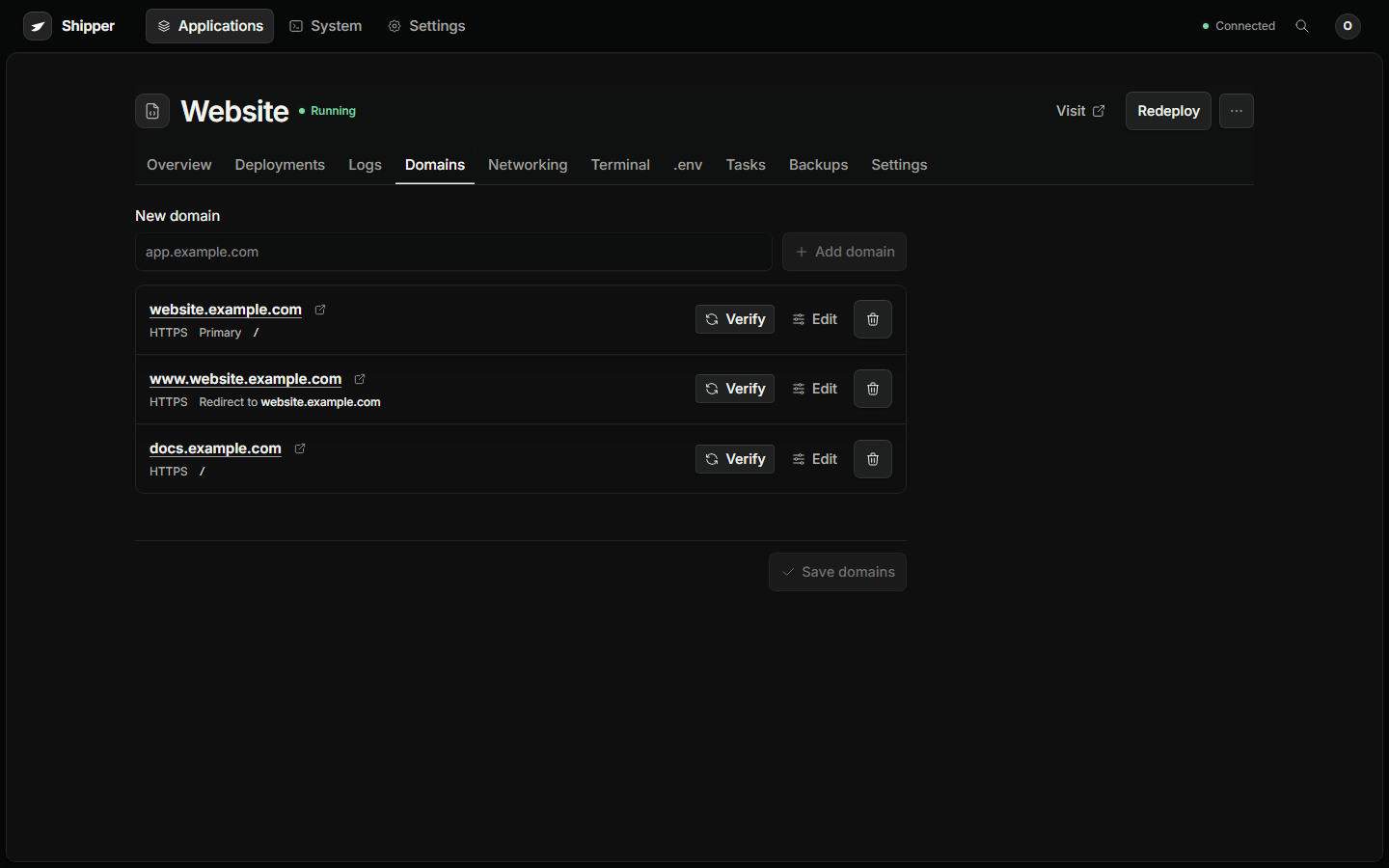
Add an application domain
Section titled “Add an application domain”Open the application and choose Domains.
Each application can have up to 32 hostnames. One hostname is primary. Additional hostnames can be aliases that redirect to the primary.
- Add the hostname.
- Choose whether HTTPS is enabled.
- Choose the primary hostname.
- Choose whether an alias redirects.
- Save domains.
Save domains creates a route-only operation. It does not rebuild the application. Shipper validates inputs, writes the proxy configuration atomically, and waits for Traefik to acknowledge the router and service.
For a root domain, Shipper can add the www alias automatically. A hostname belongs to one application or service. Sharing a hostname between services by path is not supported.
Route options
Section titled “Route options”Open Routing options on a hostname.
| Option | Effect |
|---|---|
| Path prefix | Adds a Traefik PathPrefix match. A prefix is literal. /api also matches /apiv2. |
| Strip prefix | Removes the matched prefix before forwarding |
| Compression | Enables Traefik HTTP compression |
| Response headers | One Name: value per line |
| Maintenance mode | Returns HTTP 503 while containers keep running |
HTTP framing, cookies, redirects, and Shipper’s release identity header cannot be overridden. Maintenance mode does not stop internal traffic, scheduled tasks, or background jobs.
Verify a hostname
Section titled “Verify a hostname”Open Domains → Verify. It checks DNS, reachability, the serving release identity, normal TLS validation, and certificate issuer and expiry.
A 503 is a valid verified response when maintenance mode is deliberate. Results are on-demand observations, not a background expiry monitor.
Remove a domain
Section titled “Remove a domain”Removing a hostname from Domains removes the route. It does not delete the certificate immediately and does not delete application data.
Before removing:
- Confirm no webhook, OAuth callback, or public link still uses the hostname.
- Add the replacement hostname and verify it first.
- Keep the old route until the new one has served traffic.
- Remove the DNS record only after the route is gone.
If the dashboard domain is removed, the direct 8080 listener remains. Use it to add a new dashboard domain.
For certificate and HTTPS failures, see HTTPS and certificates.