First deploy in five minutes
This is the shortest supported path from a running control plane to a live application. The installer usually finishes in two to four minutes. The first deploy takes about one more.
What you need
Section titled “What you need”- A finished install and a signed-in administrator.
- A project with a
Dockerfile, a supported language manifest, or a staticindex.html. - A hostname with an A record pointing at the server, if you want public HTTPS.
The application must listen on 0.0.0.0, not 127.0.0.1. Shipper can infer the port from an explicit setting, the runtime PORT variable, a sole image EXPOSE, or the default 3000. Static Apache sites listen on 8080 inside the container.
Deploy from a Git repository
Section titled “Deploy from a Git repository”Open New application and choose Git repository.
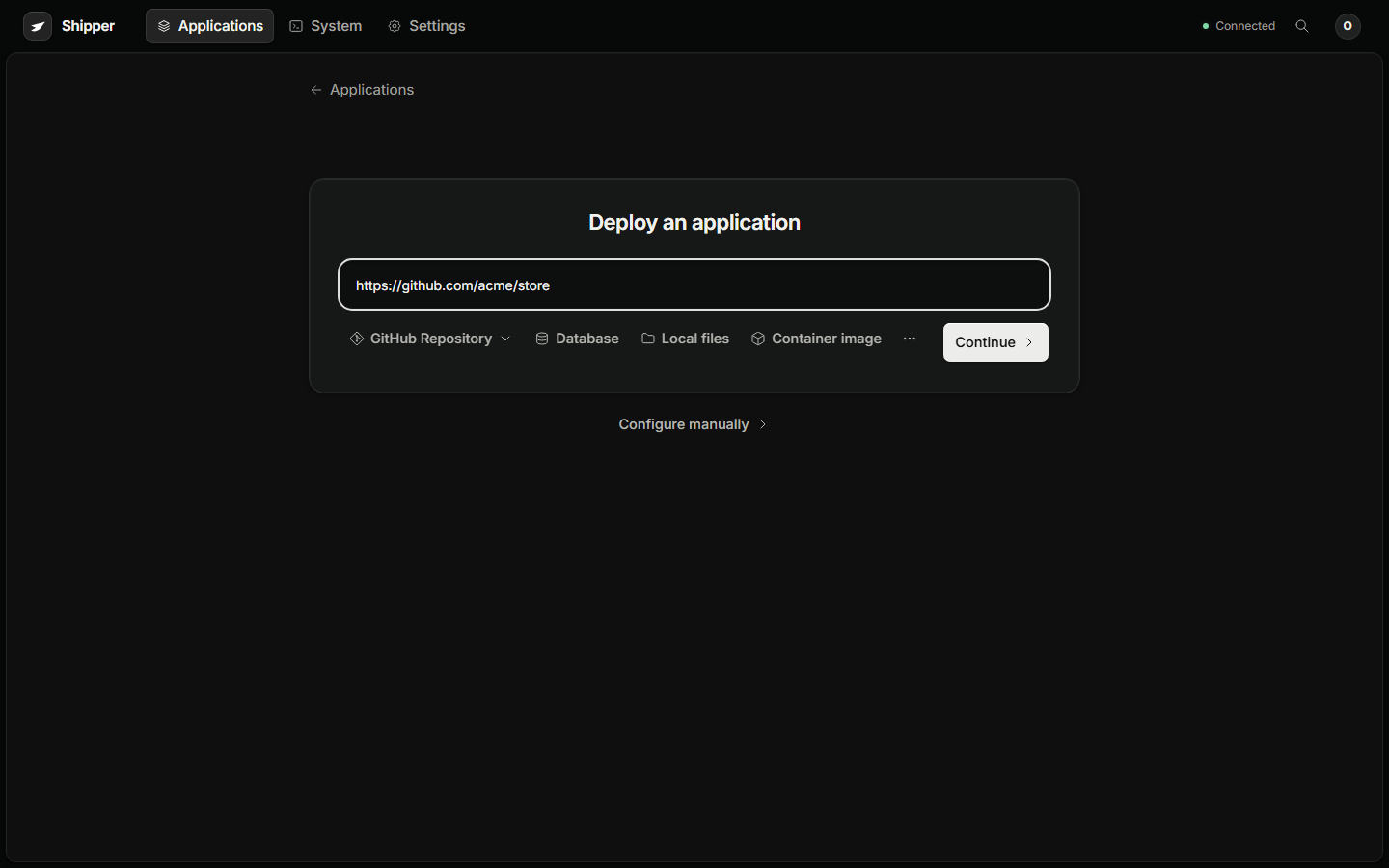
- Paste the HTTPS repository URL. A public repository needs no connection. For a private repository, connect GitHub in Settings → Connections first.
- Leave the branch empty to use the remote default, or select a branch or commit.
- Name the application.
- Continue to configuration.
Automatic build selection inspects the source and prefers a root Dockerfile, then a supported language manifest through Railpack, then a plain index.html through Apache. The review records the resolved method.
If your app needs a non-default setup, choose the method explicitly:
| Source | Use when |
|---|---|
| Dockerfile | The repository already owns its build and runtime |
| Railpack | A Node, Python, Go, Ruby, PHP, or similar app has standard manifests |
| Static site | The output is plain files, or a Node build produces a publish directory |
| Compose | The repository is a multi-service stack |
| Container image | The image is already built and published |
| Local files | The source lives on your workstation and should be uploaded as an immutable snapshot |
Configure the route
Section titled “Configure the route”Open the configuration step and set:
- Port when the runtime does not expose one or you need to override it.
- Health path when the app has a readiness endpoint, for example
/health. - Domain for the public hostname.
- Environment variables for values the app needs before its first start.
The default route is http://<application-id>.localhost:8780 on the Docker host. A public domain requests HTTPS when an ACME contact is available.
Review and deploy
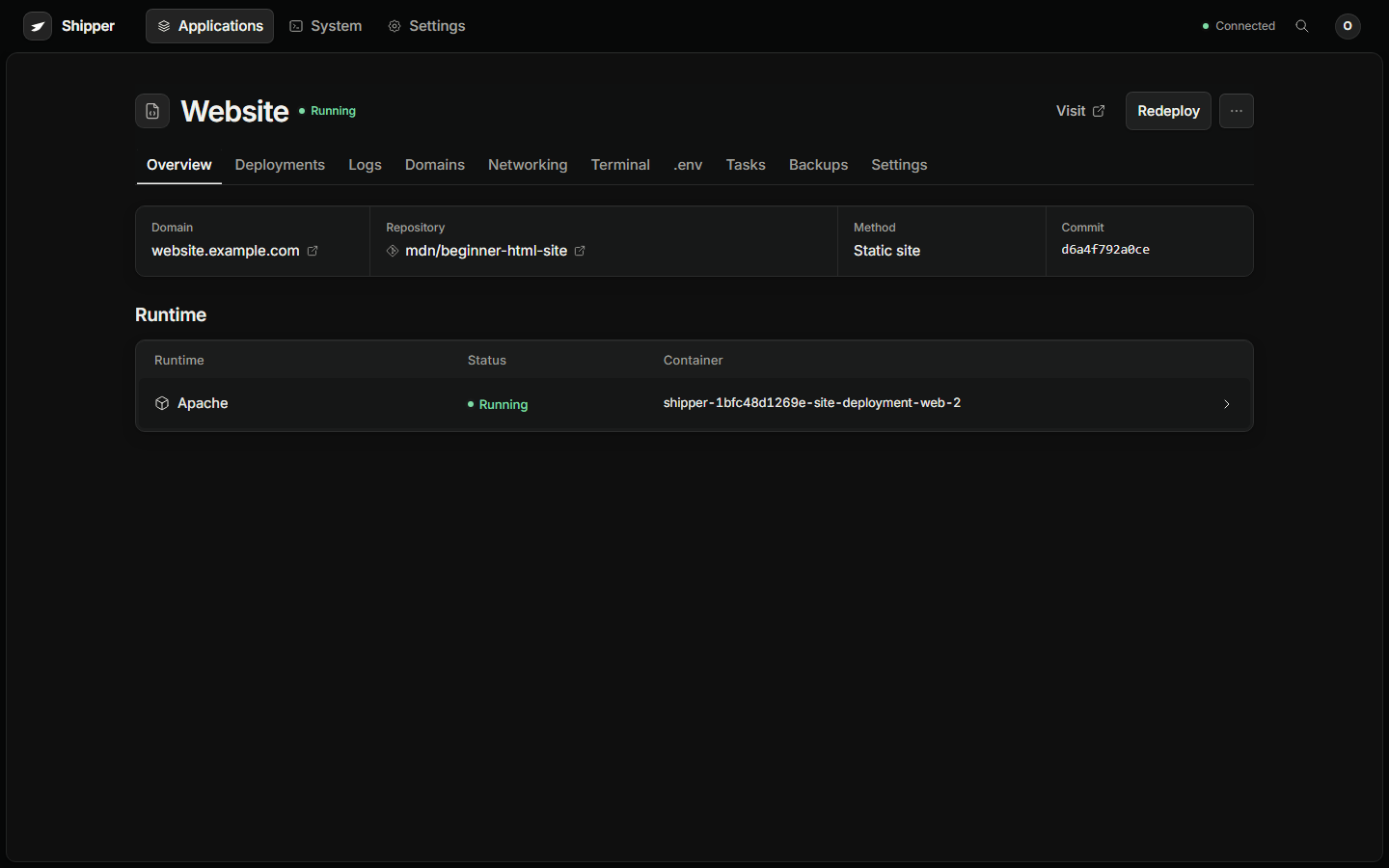
Section titled “Review and deploy”The review shows the source, resolved method, runtime settings, route, and every change from the defaults. Deploy creates a durable operation and streams the build log.
Cloning https://github.com/acme/store.gitChecked out 4f8ac21d on mainUsing BuildKitInstalling dependenciesBuild completedStarting candidate containerCandidate HTTP check passedTraefik acknowledged the routing updateServing shop.example.comThe release is successful when the deployment state is Succeeded, the application state is Running, and the route check reports the serving release.
Deploy a local folder
Section titled “Deploy a local folder”Choose Local files in New application and select the project folder. The browser uploads a bounded, immutable snapshot. Git metadata, dependency directories, .env variants, SSH and cloud credential directories, private keys, and PEM files are excluded by default.
Use a Dockerfile in the snapshot when the project needs a custom build. Otherwise Shipper detects the language and packages it with Railpack, or serves a static directory.
Limits: 64 MiB of content and 10,000 regular files per upload. Symlinks, devices, unsafe paths, and duplicate archive entries are rejected. Review the selected file list before uploading.
Deploy a container image
Section titled “Deploy a container image”Choose Container image and enter a full image reference:
ghcr.io/acme/store:2026.11.1Use a digest for a pinned release:
ghcr.io/acme/store@sha256:6f1c2a9d4e8b7c0a3f5e1d9b2c4a6f8e0d1b3c5a7f9e2d4b6c8a0f1e3d5b7c9aSet the container port and health path. A tag is resolved during deployment. A digest is reviewed and deployed exactly as written.
Verify the route
Section titled “Verify the route”From your workstation:
dig +short shop.example.comcurl -sS -o /dev/null -w '%{http_code}\n' https://shop.example.comcurl -sS https://shop.example.com/healthReplace /health with the health path configured for the application. Expected:
- DNS returns the server’s public address.
- The first request returns
200,301, or302. - Your application health endpoint returns its normal payload.
If the container is running but the route is not serving, open Domains → Verify. It checks DNS, reachability, the release identity header, and TLS, and records the certificate issuer and expiry.
If the first deploy fails
Section titled “If the first deploy fails”Open the failed deployment. Show failed step takes you to the exact stage and log line. The common first failures are:
- The app listens on
127.0.0.1instead of0.0.0.0. - The container port is wrong.
- The health path returns a non-2xx response.
- A required environment variable is missing at build time.
- DNS does not resolve to this server.
- Port 80 or 443 is blocked.
Use troubleshooting for the console check that matches the failure.
- Add a second domain or an alias in Domains.
- Protect the instance and application data in Backups and off-server storage.
- Read Releases and rollbacks before the first bad release.
- Add people and roles in Users and roles.