Releases
A release records more than an image. Shipper keeps the source commit, build method, runtime configuration, routes, and the image that served traffic.
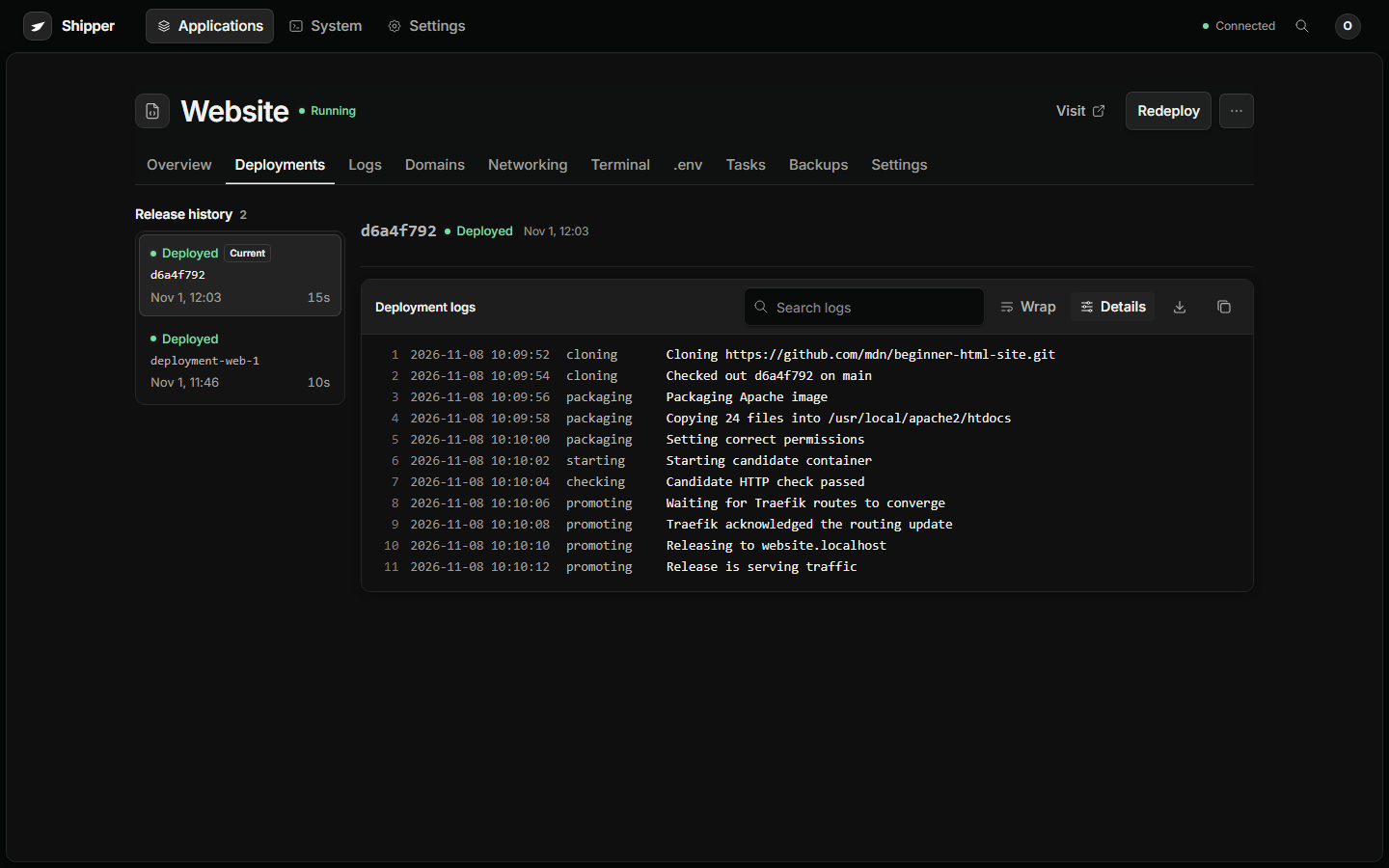
What a release records
Section titled “What a release records”| Field | Meaning |
|---|---|
| Operation | deploy, apply, rollback, restart, or another lifecycle action |
| State | queued, building, starting, checking, promoting, succeeded, failed, or cancelled |
| Commit | The Git commit or local source identity used for the build |
| Method | Dockerfile, Railpack, static, Compose, or image |
| Image | The local image ID that served the release |
| Config snapshot | Runtime settings, variables metadata, health path, port, and limits |
| Services | Compose services and their route targets |
| Duration | From start to the final state |
| Error | The failed stage and message, when the release failed |
Secrets are not stored in the release log. The config snapshot retains variable metadata and encrypted values, not readable secret text.
Deploy is not apply
Section titled “Deploy is not apply”- Redeploy fetches the source again and builds a new image. Use it for a new commit or an uncached rebuild.
- Review changes → Apply saves configuration and reuses the active image when the saved model can represent the change safely.
- Restart restarts the current workload without rebuilding.
- Restore release creates a new durable deployment from an older recorded release.
Runtime-only edits such as a health path, memory limit, or environment value can reuse the pinned image. A source, Dockerfile, or build-method change requires a new build.
Deployment logs
Section titled “Deployment logs”Open Deployments and select a release. The log is grouped by stage and can be searched, wrapped, copied, and downloaded.
A failed release names the failed stage and the first useful error. The serving release can remain healthy while the latest release is failed.
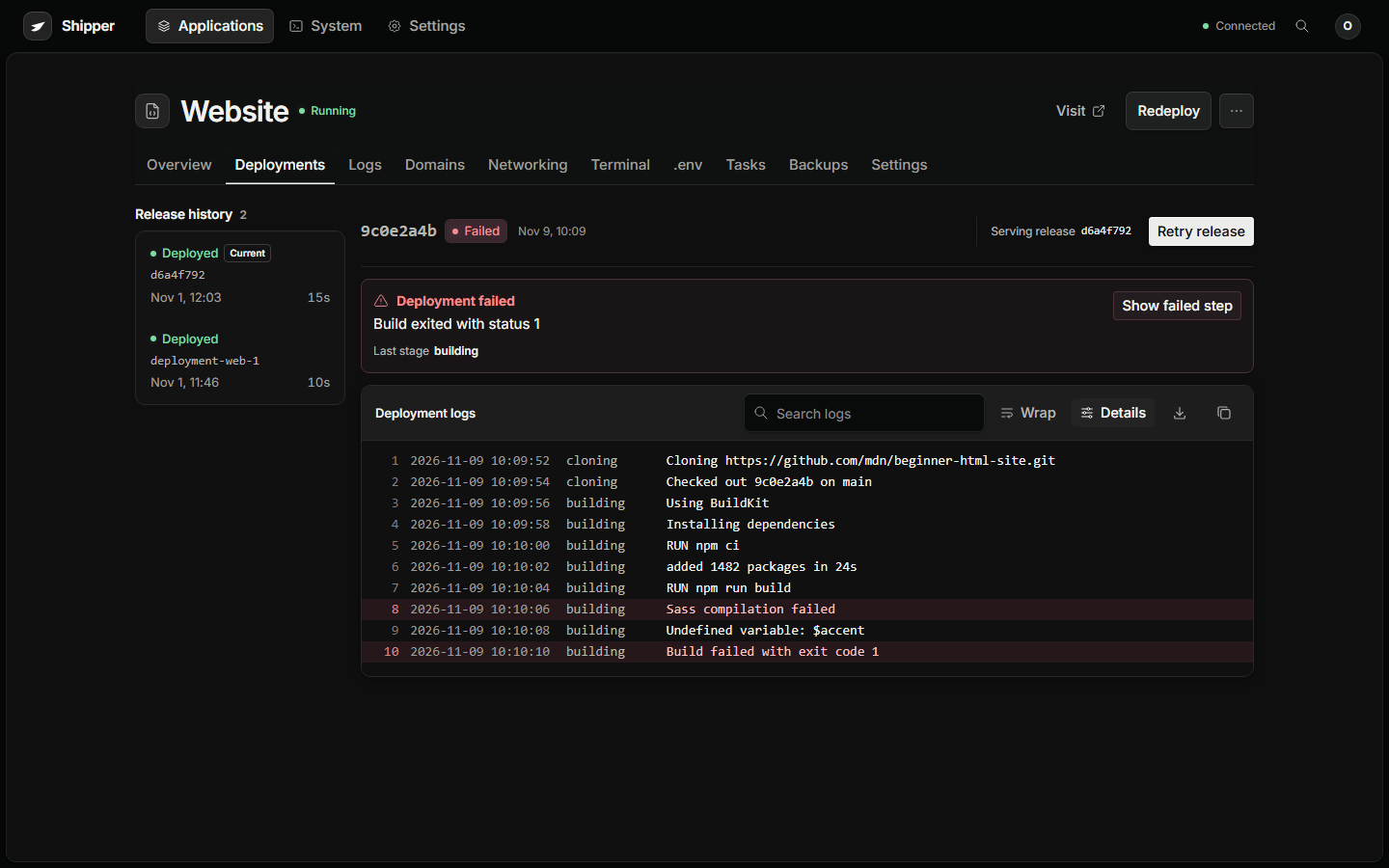
Image retention
Section titled “Image retention”There is no automatic image pruning yet. That is deliberate: a rollback needs the image it recorded.
External cleanup can make an older release unavailable:
docker image prune -adocker system pruneNeither is a supported maintenance command for a Shipper host. Use System → Maintenance and review what is protected by recorded releases. If you remove an image manually, verify that no release record points at it.