HTTPS and certificates
Shipper’s proxy obtains and renews certificates through Let’s Encrypt using the HTTP-01 challenge. The first administrator email is stored as the ACME contact.
Open the right ports
Section titled “Open the right ports”Both ports must be reachable from the public internet for issuance and renewal.
| Port | Requirement |
|---|---|
80 |
ACME HTTP-01 challenge and HTTP to HTTPS redirect |
443 |
TLS and application traffic |
Do not run a second reverse proxy on the same host during issuance. Only one process can own ports 80 and 443.
Dashboard HTTPS
Section titled “Dashboard HTTPS”The managed installer starts the control plane on http://<server-ip>:8080 without a domain. After signing in:
- Point the dashboard hostname at the server.
- Wait for DNS to resolve from outside your network.
- Open Settings → Dashboard.
- Enter the hostname, for example
shipper.example.com. - Save.
- Run Verify dashboard.
Shipper validates the hostname, reserves it from application assignment, adds the dashboard route to the global proxy, and requests a trusted certificate. The dashboard route redirects HTTP to HTTPS and carries the instance identity header used by verification.
The direct http://<server-ip>:8080 listener remains available. It is the recovery path when DNS or TLS is broken. Removing the dashboard domain removes only the dashboard route.
Application HTTPS
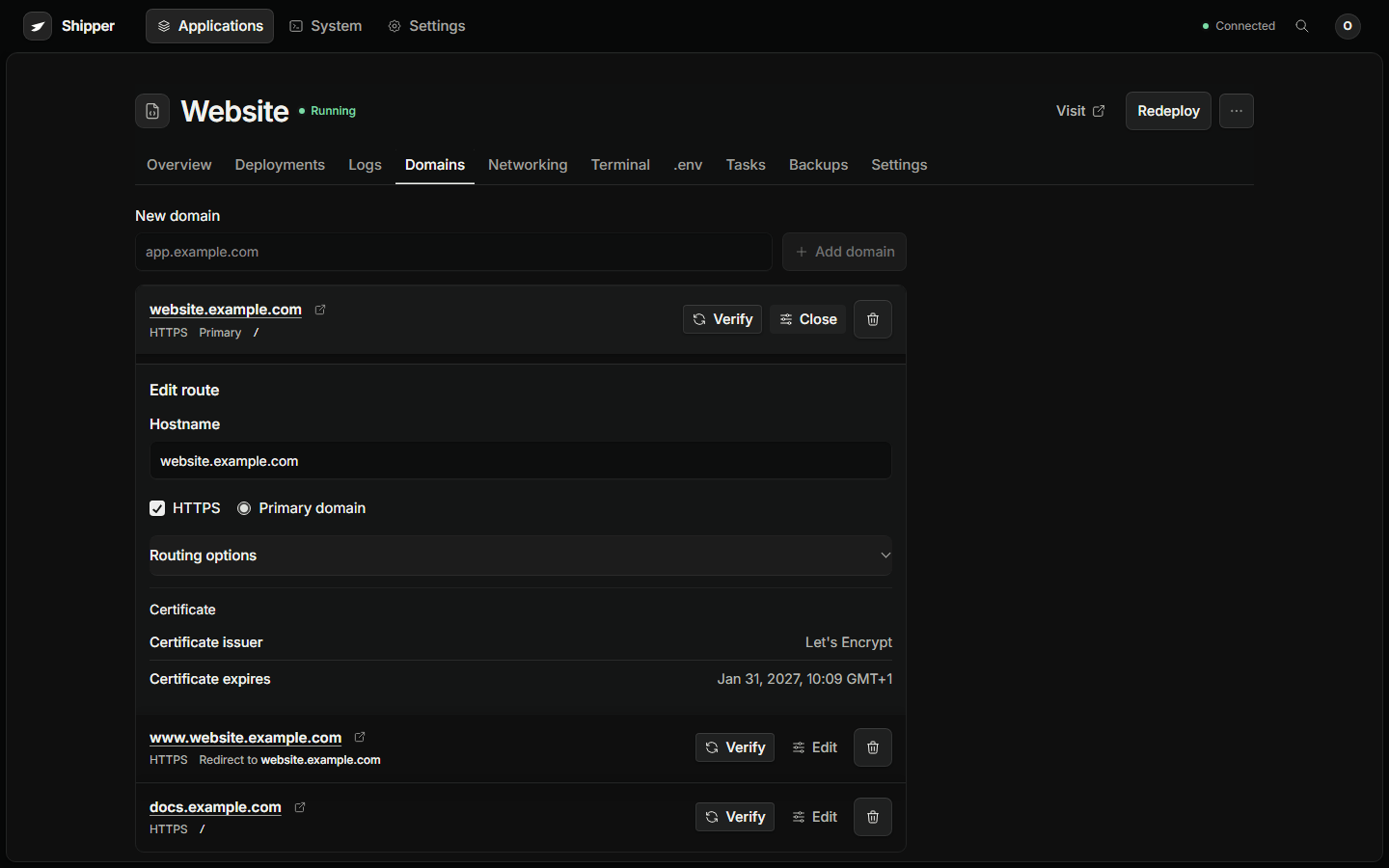
Section titled “Application HTTPS”HTTPS is enabled per hostname in Domains. It requires:
- A public DNS record that points at this server.
- Ports 80 and 443 reachable.
- A valid ACME contact.
- No other proxy or CDN intercepting the challenge.
If an application must stay HTTP-only, use it only on a private network or behind a reverse proxy you control. Do not expose credentials over plain HTTP.
How issuance works
Section titled “How issuance works”- Shipper writes the route and asks Traefik to serve it.
- Let’s Encrypt requests
http://<hostname>/.well-known/acme-challenge/<token>. - Traefik answers from the ACME state in its proxy data volume.
- The certificate is stored and renewed before expiry.
ACME state lives in the instance-owned proxy data volume. Keep ports 80 and 443 reachable for renewals. Do not delete acme.json or the proxy volume as part of an ordinary upgrade.
SHIPPER_ACME_CA can point at a staging or internal ACME directory for testing. Production installs should use the default Let’s Encrypt production directory.
Common failures
Section titled “Common failures”| Symptom | Likely cause | Fix |
|---|---|---|
| DNS does not resolve | Missing or stale record | Create the A record and wait for TTL |
| DNS resolves to the old host | Cached record or low TTL not applied | Lower TTL before a move, then flush caches |
| Unreachable AAAA | IPv6 record points somewhere with no listener | Remove the AAAA record |
| Connection refused on 80 | Firewall or provider rule | Allow inbound TCP 80 and 443 |
| HTTP 404 on the challenge | Another proxy or CDN is intercepting it | Bypass the CDN during issuance or forward the challenge path |
CAA error |
A CAA record forbids Let’s Encrypt | Add letsencrypt.org to the CAA policy |
| Too many certificates | Let’s Encrypt rate limit | Wait for the window, use staging while testing |
| Certificate expired | Renewal blocked by DNS or ports | Restore reachability, then re-verify |
| Hostname already used | Another application or the old host claims it | Remove the old route or move the hostname |
Check the proxy:
docker ps --filter label=io.shipper.infrastructure=proxydocker logs --tail 200 shipper-<instance-prefix>-proxyIf the proxy is running and DNS is correct, re-save the domain to re-queue the route. Do not delete the proxy volume to force a new certificate. A controlled ACME reset is a separate operation. Take an instance backup first.
CDNs and Cloudflare
Section titled “CDNs and Cloudflare”A CDN can work, but it adds a layer that must forward the original host and the ACME challenge.
- Use DNS only during the first issuance.
- If you proxy through the CDN, set SSL mode to Full (strict), not Flexible.
- Do not cache
/.well-known/acme-challenge/. - Confirm the origin still sees the original Host header.
- Turn off features that rewrite or intercept HTTP.
A CDN that terminates TLS at its edge still needs a valid origin certificate or a trusted origin connection.