From localhost to your own cloud in one deploy.
Shipper runs on the VPS you already pay for. Push a repo, get a live URL, logs, and a rollback. No YAML, no SSH, no dashboard account.
See how it workscurl -fsSLcurl -fsSL https://shipperkit.dev/install.sh | sudo bashhttps://shipperkit.dev/install.sh
| sudo bash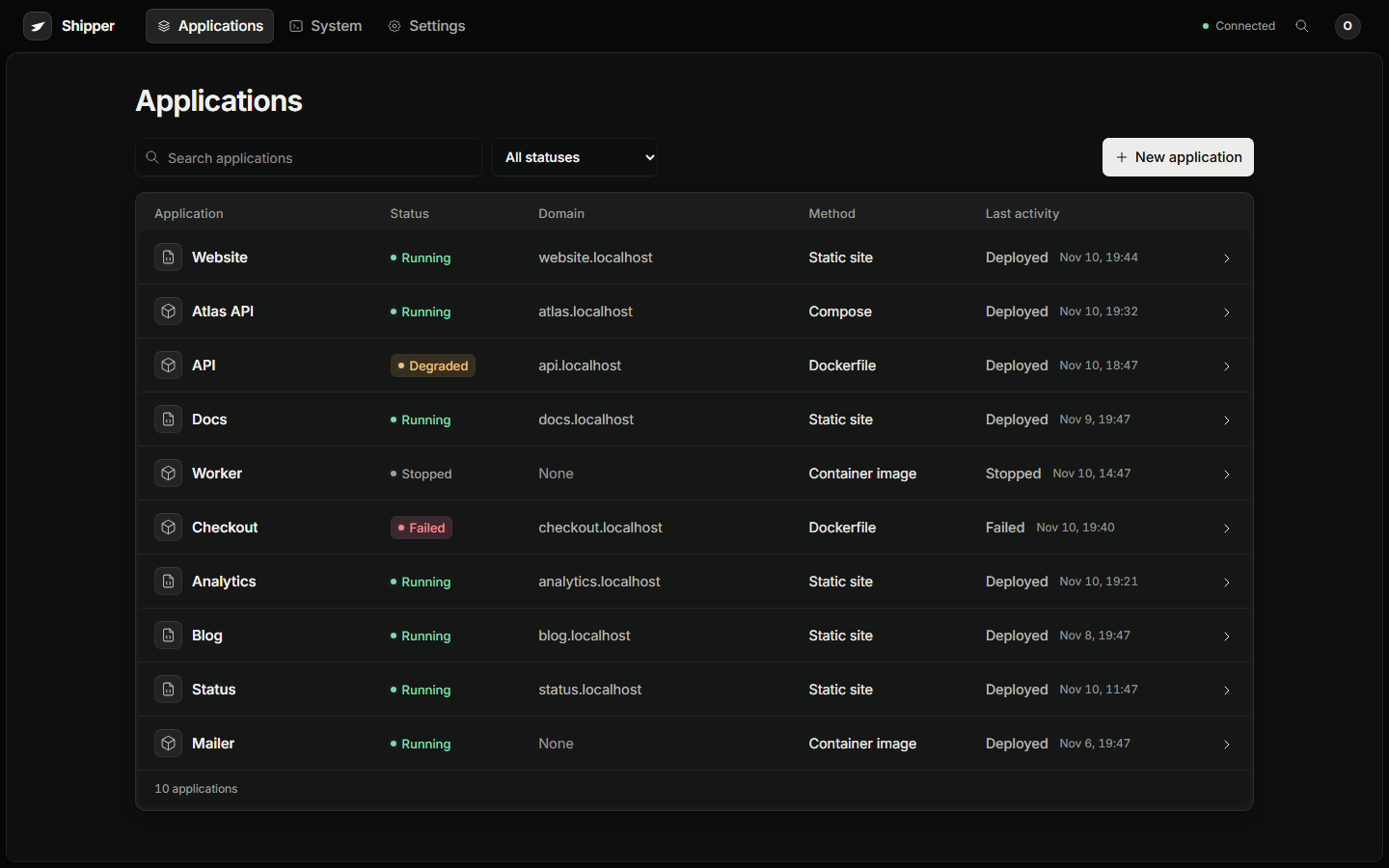
Deploy anything.
Point Shipper at a Git repository, a local folder, a container image, or a database. The quick start turns any of them into a reviewable release.
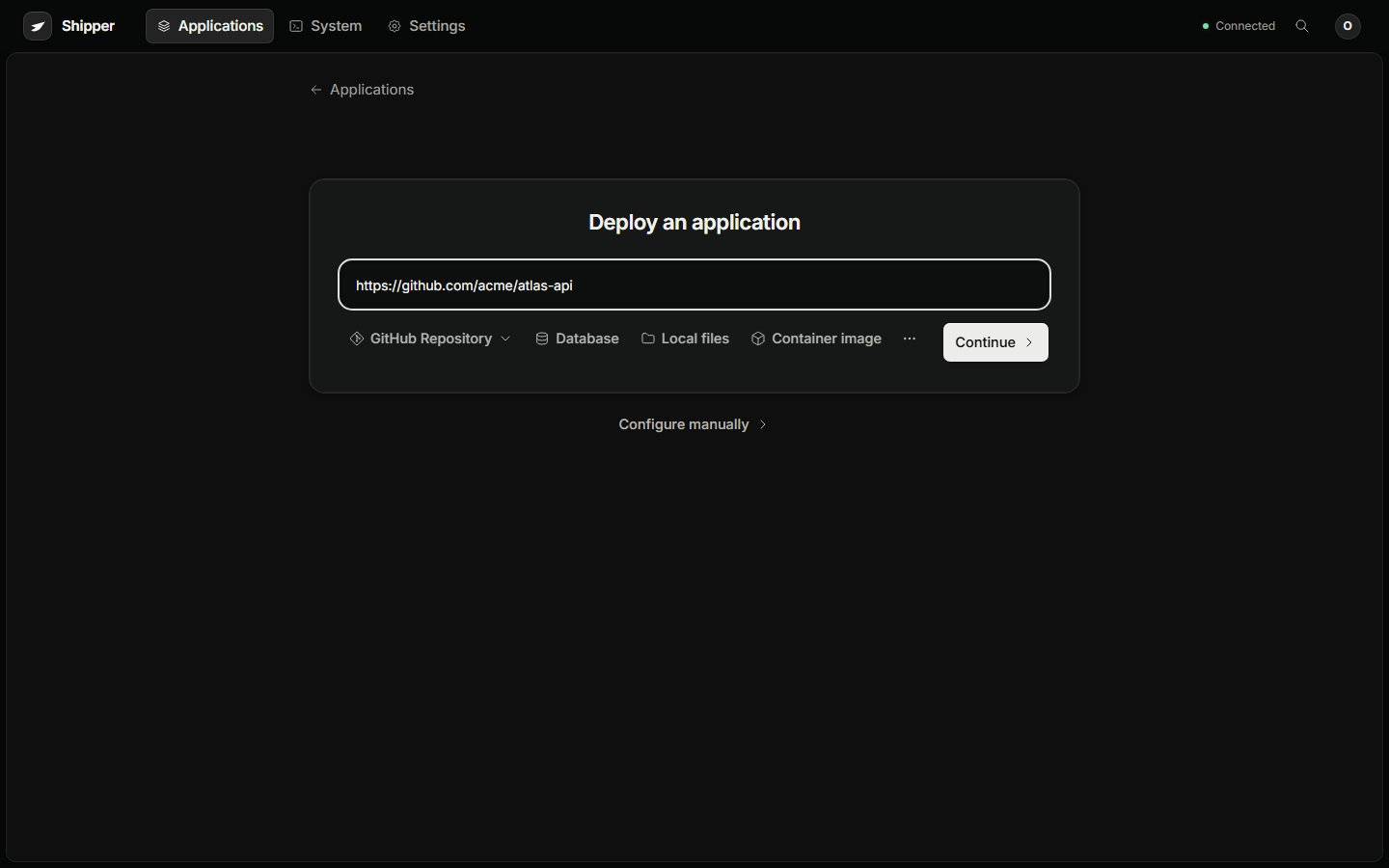
Bring your repo, folder, or image.
Shipper fits the source you already have. There is no special project layout and no new config language.
Local folder
No Git account. Drop in a project and ship it.
Public repo
Point at a Git URL and pick a branch.
Private GitHub
Connect once, then deploy the private repos.
Docker image
Bring a prebuilt image from any registry.
Compose file
Keep your services, volumes, and network.
Inline Dockerfile
Paste a definition and use the same builder.
The same guardrails for you and your agent.
A token does not get a shortcut through the checks. The dashboard, the CLI, and your agent all use the same release path.
The unglamorous parts, handled.
HTTPS, backups, logs, and health checks are part of the deploy, not a second project you have to finish later.
HTTPS
Domains and certificates renew without a side project.
Backups
A verified copy of your data, on storage you choose.
Health
See the app and the machine while they are running.
The platform tax, removed.
A managed platform charges for convenience. Running it yourself should not mean rebuilding the convenience from scratch.
Start with the practical parts.
The answers that change whether Shipper fits your server and your workflow.
What do I need to get started?
A supported Ubuntu server and a project to deploy. The installer handles Docker and the proxy. A domain is only needed when you want public HTTPS.
Does it work with my stack?
Static sites, Dockerfiles, Docker Compose, prebuilt images, and most language projects. If it runs in Docker, it can run on Shipper.
Do I need a GitHub account?
No. Deploy a local folder, a public Git URL, an image, a Compose file, or an inline Dockerfile. Private GitHub is optional.
What happens when a deploy fails?
The previous release keeps serving traffic. The failed stage, its logs, and the release that is still live stay together so you can fix the problem.
Can my AI agent use it?
Yes. The CLI and API expose the same plan, deploy, inspect, and rollback actions with scoped tokens. An agent does not need your SSH key or browser session.
How much does it cost?
The software is free and MIT licensed. You pay for the server and domain you already use. There is no platform fee, seat count, or build-minute meter.
Everything you
need,
nothing
you rent.
The deploy console, the release history, and the recovery plan live on your server. Keep the keys.
curl -fsSLcurl -fsSL https://shipperkit.dev/install.sh | sudo bashhttps://shipperkit.dev/install.sh
| sudo bash